Setup Guide - Amazon Ads Unified Reporting
Follow our setup guide to connect Amazon Ads Unified Reporting to DataChannel.
|
Prerequisites
To connect Amazon Ads Unified Reporting to DataChannel, you need:
Please ensure that you have requested and obtained API access from Amazon Ads DSP and followed the steps as outlined here. |
Setup Instructions
-
Select a data destination for your Amazon Ads Unified Reporting Data. If you have not yet added a data warehouse, go to data warehouse tab and add a warehouse.
Data Warehouse once selected cannot be changed. -
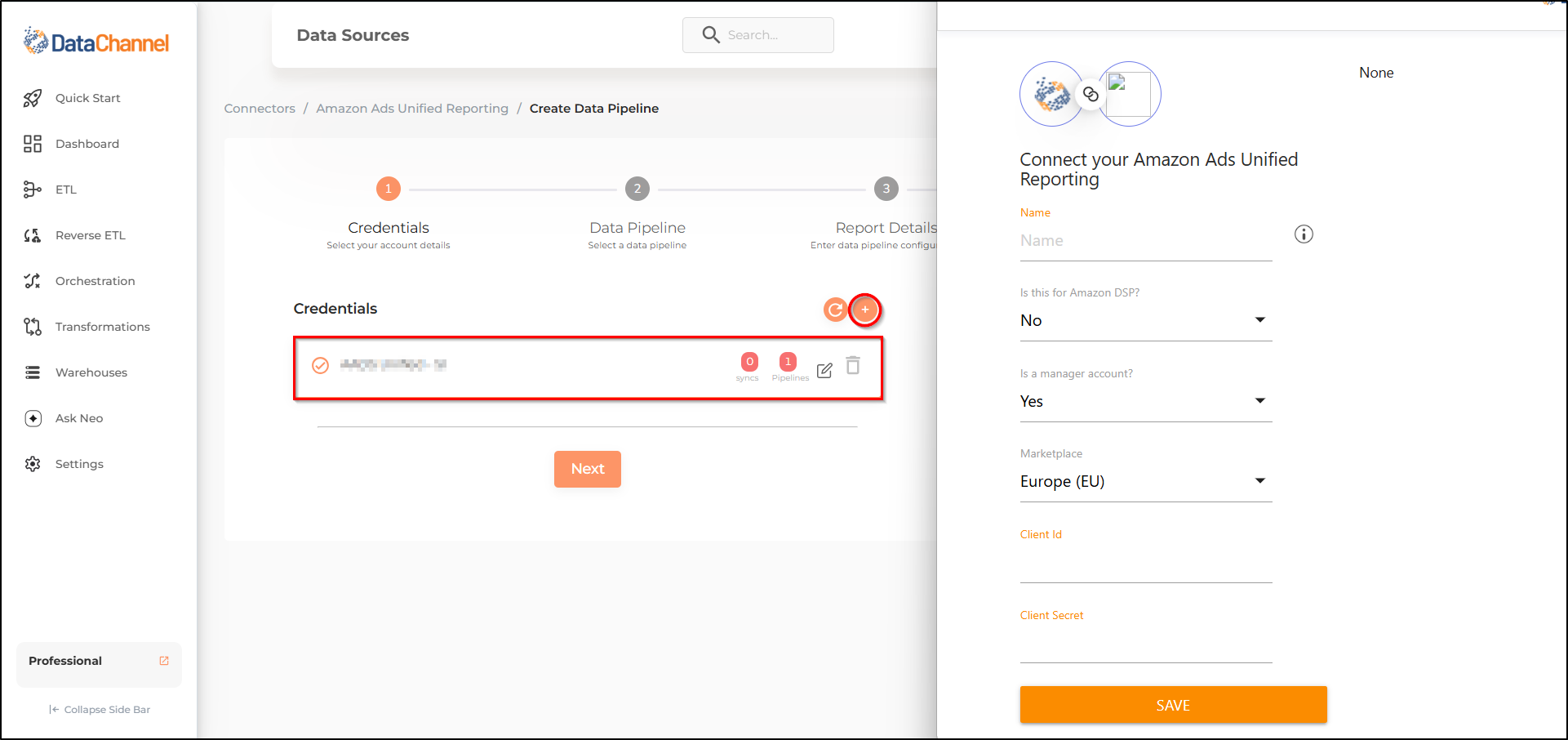
Authorise DataChannel to connect to your Amazon Ads Unified Reporting account using the + icon with your Name, Client ID and Client Secret. Please reach out to us on support@datachannel.co if you need assistance on how to find these details.
-
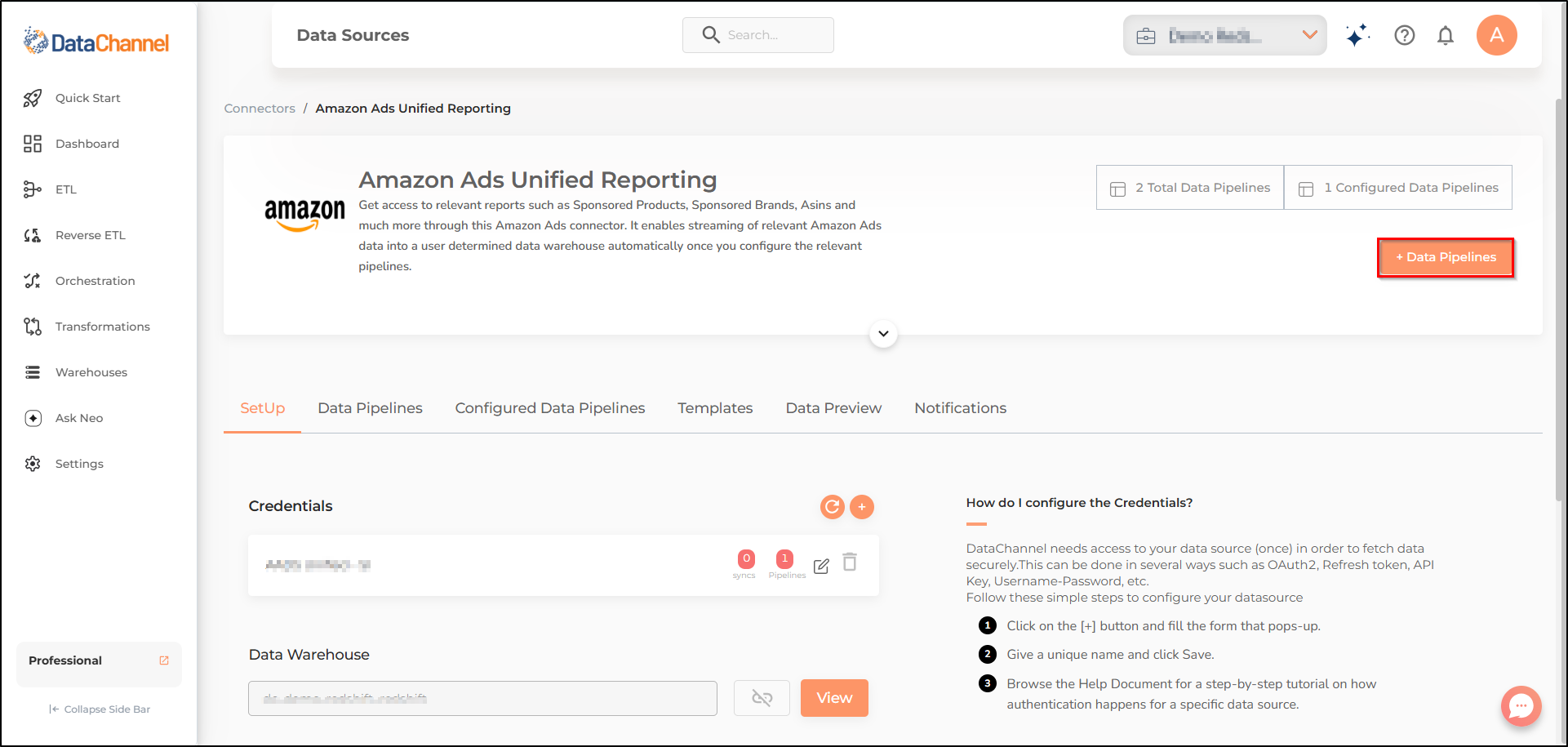
Click on + Data Pipeline to start adding data pipelines to your account.
-
Details of individual objects and reports are available here.
-
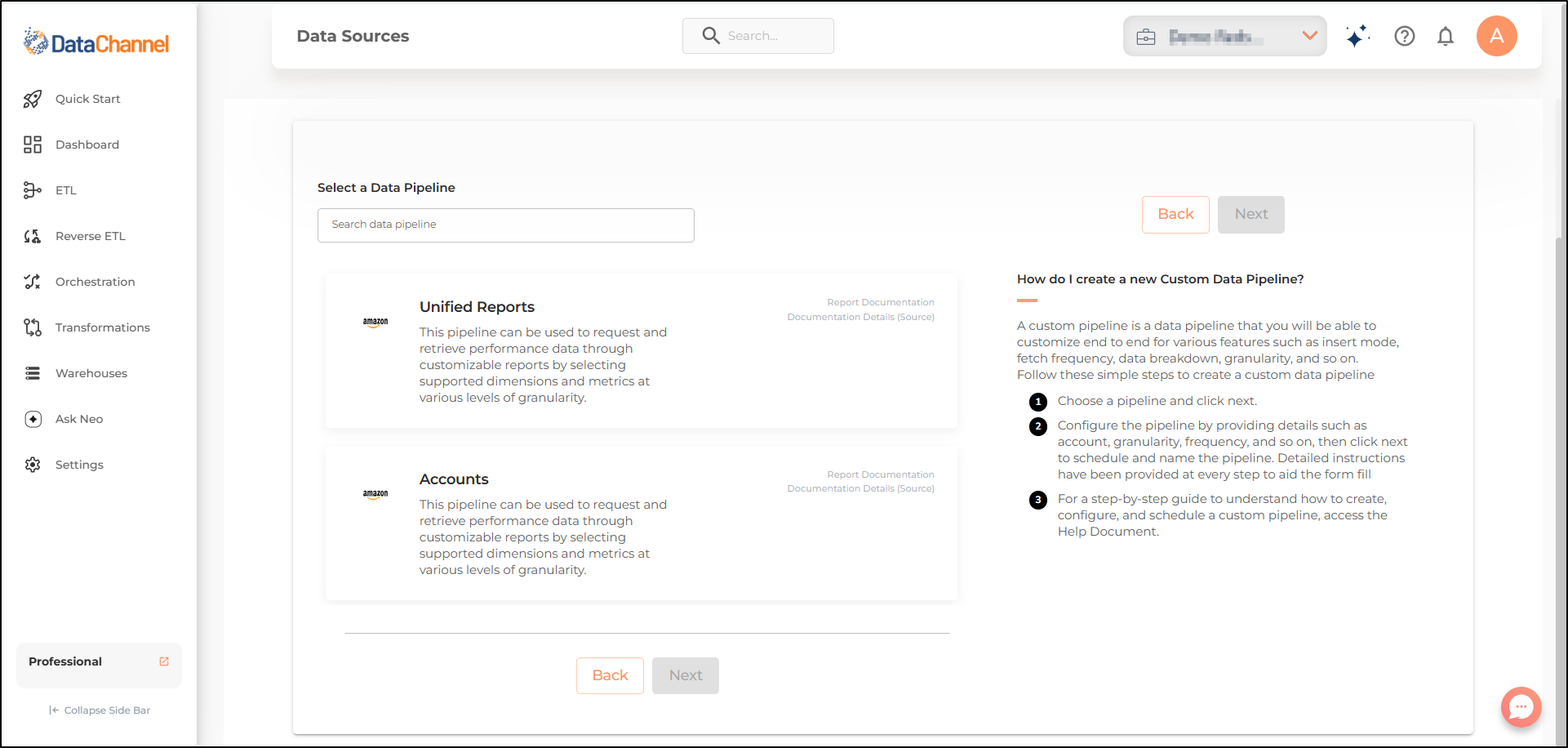
Select the required pipeline from the list and click Next
-
Configure the pipelines by setting the report parameters in the given fields.
Still have Questions?
We’ll be happy to help you with any questions you might have! Send us an email at info@datachannel.co.
Subscribe to our Newsletter for latest updates at DataChannel.