Exploring the User Interface
Basic Layout
This section will help you to get familiar with the Basic layout of the Neo. Knowing your way around on the platform will help you access all the functionalities available to you with ease.
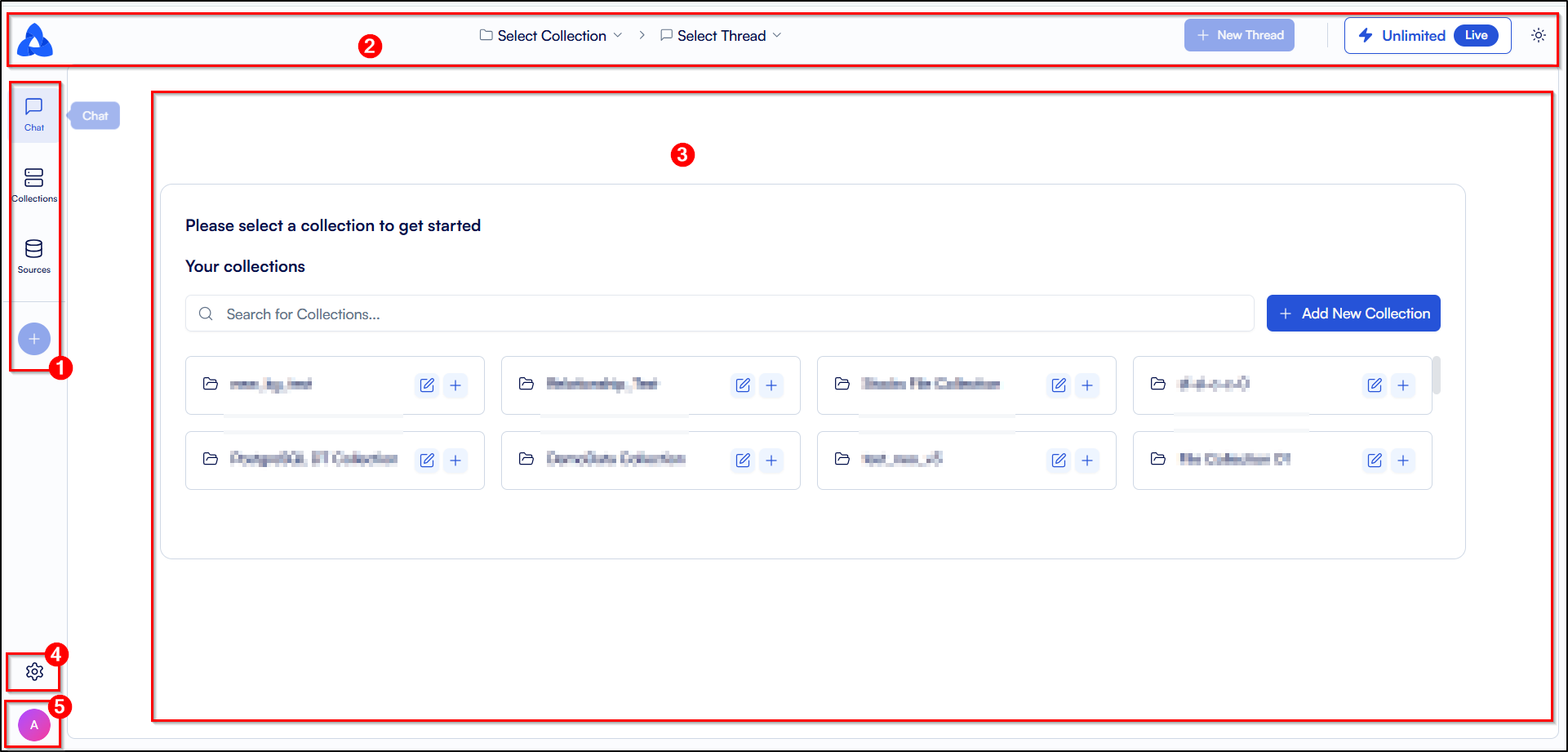
The Homepage of your platform will open up as follows:
-
Sidebar: On the left side of the screen, you will be able to view the Sidebar, which allows you to navigate between various menus on the Neo platform. To get a detailed understanding of the various menu options on the Sidebar click here.
-
Top Banner: On the uppermost part of the screen, you will be able to view the Top Banner. The top banner has a dropdown to select the collection from your added collections. It also has a dropdown to select the thread from the selected collection. The top banner also has an icon to view your current subscription plan and an icon to switch between light and dark modes. To get a detailed understanding of the various menu options on the Top Banner click here.
-
Main UI Screen: The Main UI screen displays the content of the tab on which you are currently located.
-
Settings: Clicking on the Settings Button allows you to manage your account settings and e-mail preferences. You can also track your usage and manage your user permissions. To get a detailed understanding of the various menu options on the Settings tab click here.
-
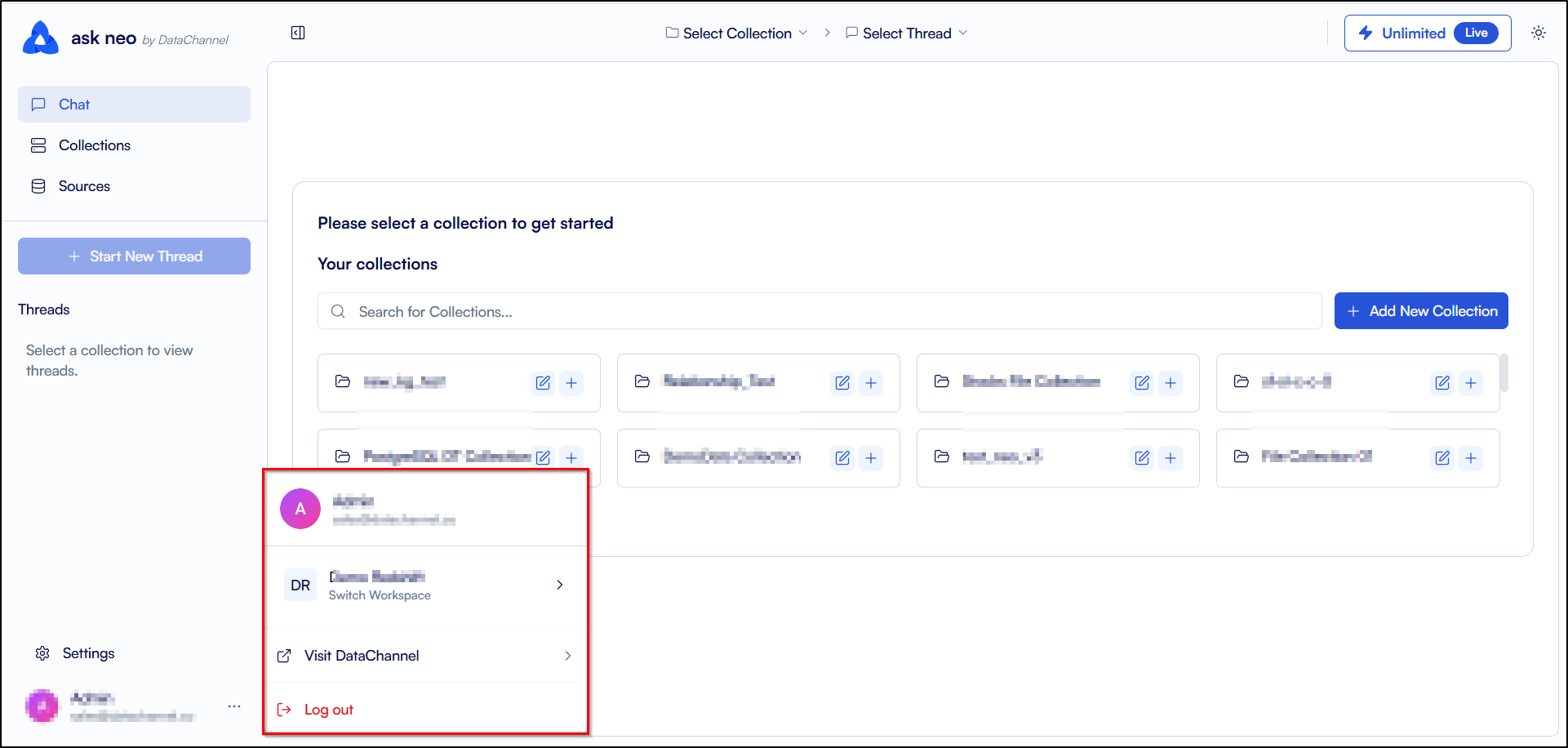
Profile: Clicking on the Profile icon allows you to view and switch between your workspaces. Click on the Visit DataChannel button, if you want to access the DataChannel console. You can also logout of your account from here.
Still have Questions?
We’ll be happy to help you with any questions you might have! Send us an email at info@datachannel.co.
Subscribe to our Newsletter for latest updates at DataChannel.