Setup Guide - Microsoft Sharepoint
Follow our setup guide to reverse ETL to Microsoft Sharepoint platform using DataChannel.
|
Prerequisites
To connect Microsoft Sharepoint to DataChannel, you need:
Please ensure that you have created a Service Principal following the steps as outlined here. |
Setup instructions
-
Create a data model and specify the data warehouse from which you want the data for your Microsoft Sharepoint platform. If you have not yet added a data warehouse, go to data warehouse tab and add a warehouse.
-
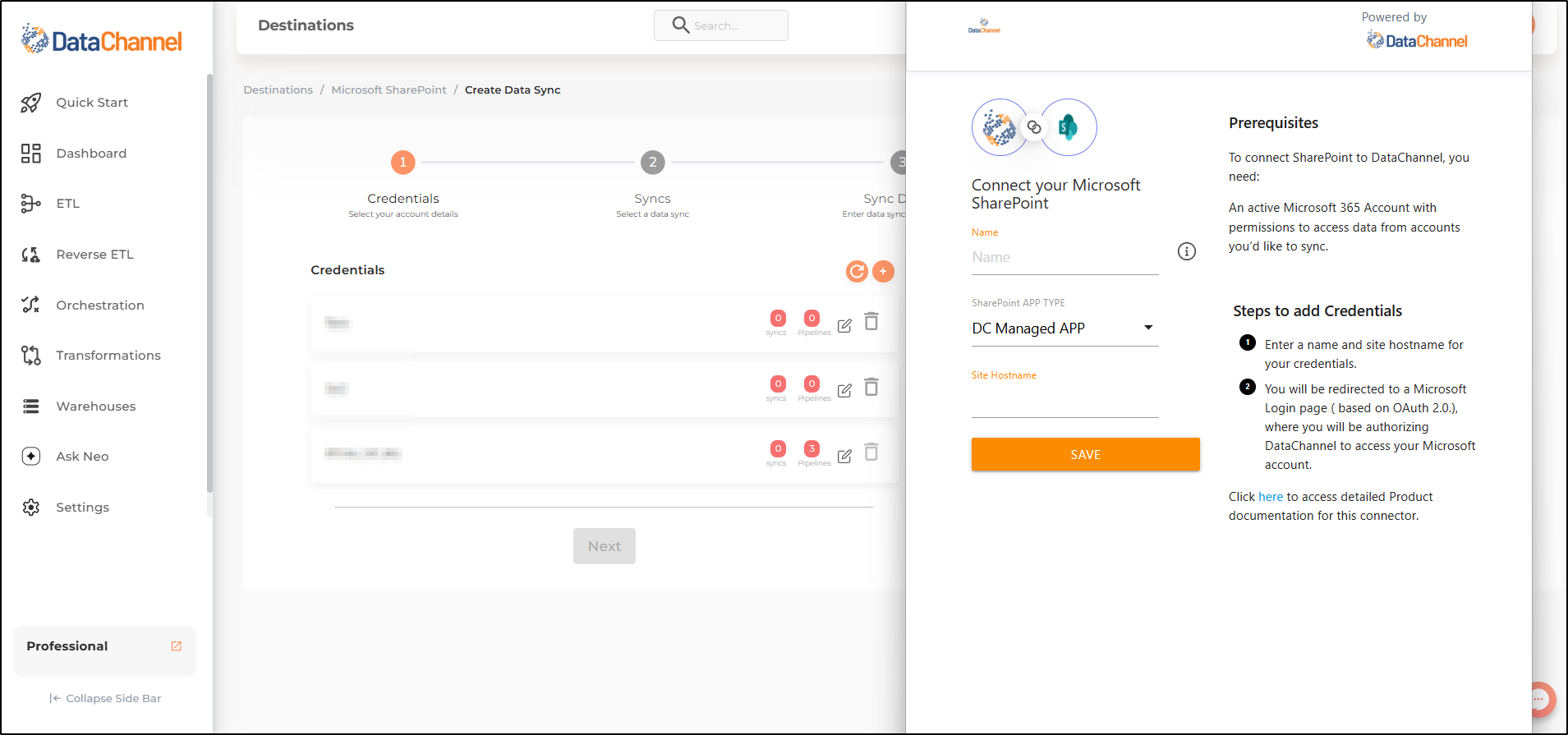
Authorise DataChannel to connect to your Microsoft 365 account using OAuth using the process described here.Before OAuth Authentication process, you’ll first need to enter the details of your Name, Site Host Name using the + icon. To know more about finding these details click here
-
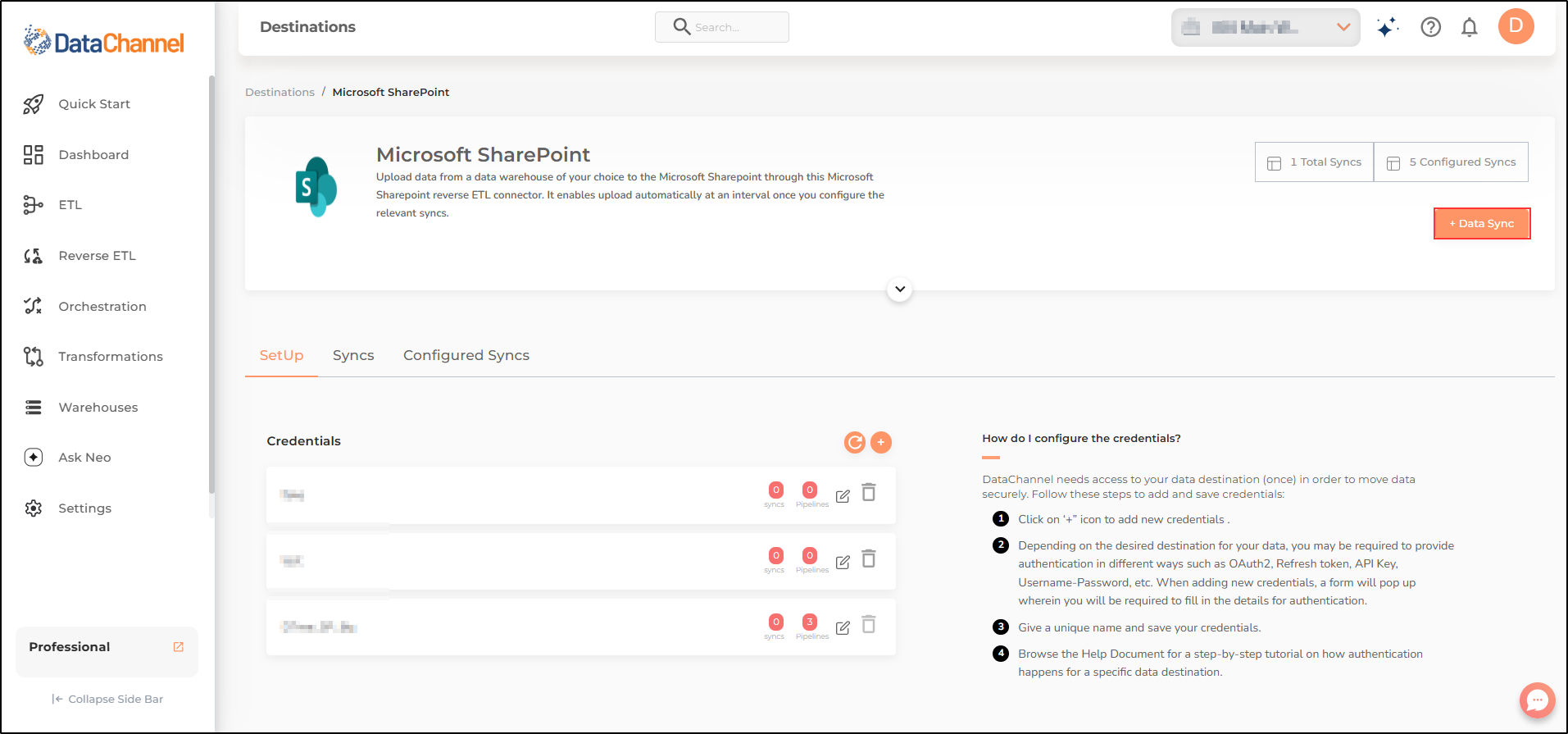
Click on + Data Sync to start adding data syncs to your account.
-
Details of individual syncs are available here.
Still have Questions?
We’ll be happy to help you with any questions you might have! Send us an email at info@datachannel.co.
Subscribe to our Newsletter for latest updates at DataChannel.