Setup Guide - Daakit
Follow our setup guide to connect Daakit to DataChannel.
|
Prerequisites
To connect Daakit to DataChannel, you need:
|
Setup Instructions
-
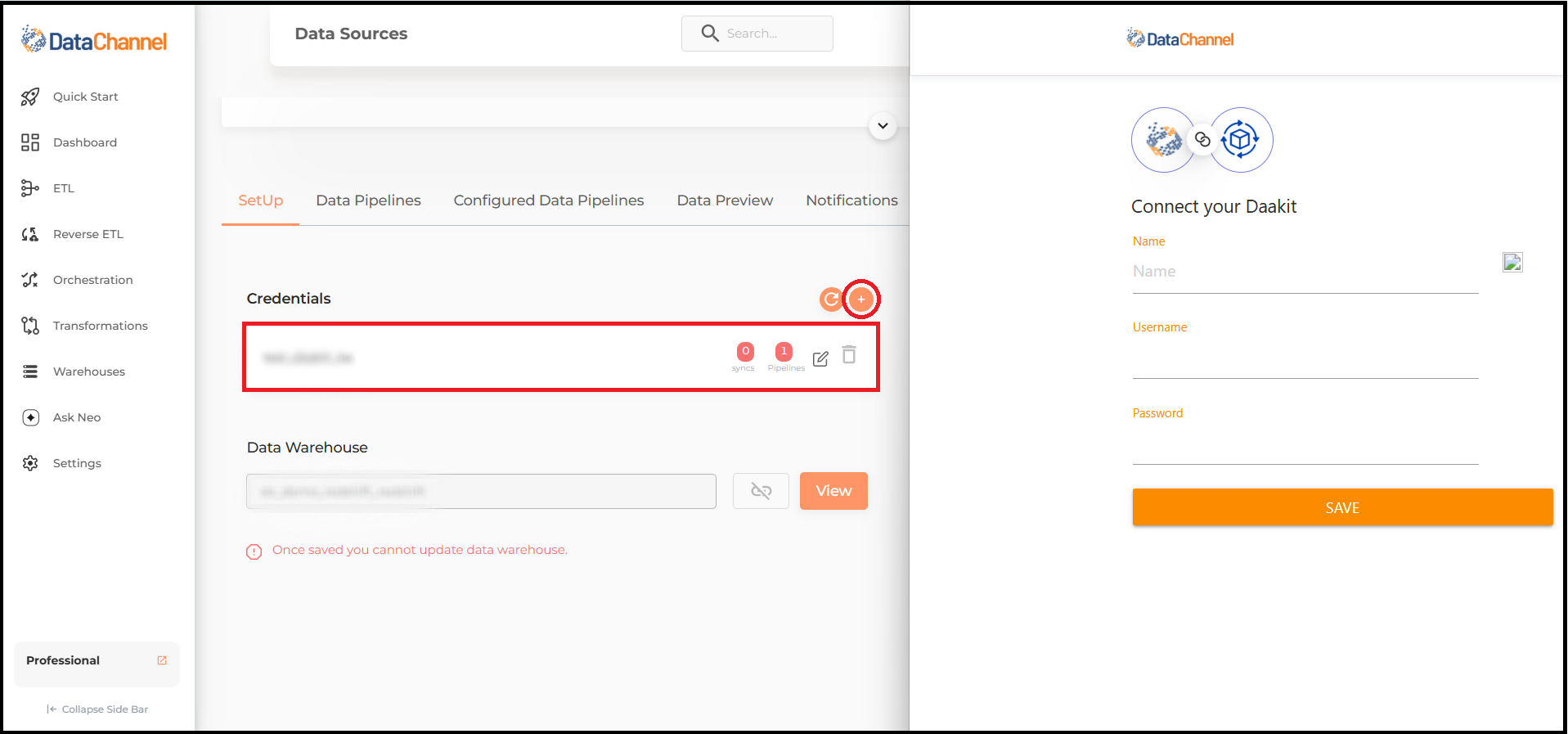
Select a data destination for your Daakit Data. If you have not yet added a data warehouse, go to data warehouse tab and add a warehouse.
Data Warehouse once selected cannot be changed. -
Authorise DataChannel to connect to your Daakit account using the + icon with your Name, Username and Password.. Please reach out to us on support@datachannel.co if you need assistance on how to find these details.
-
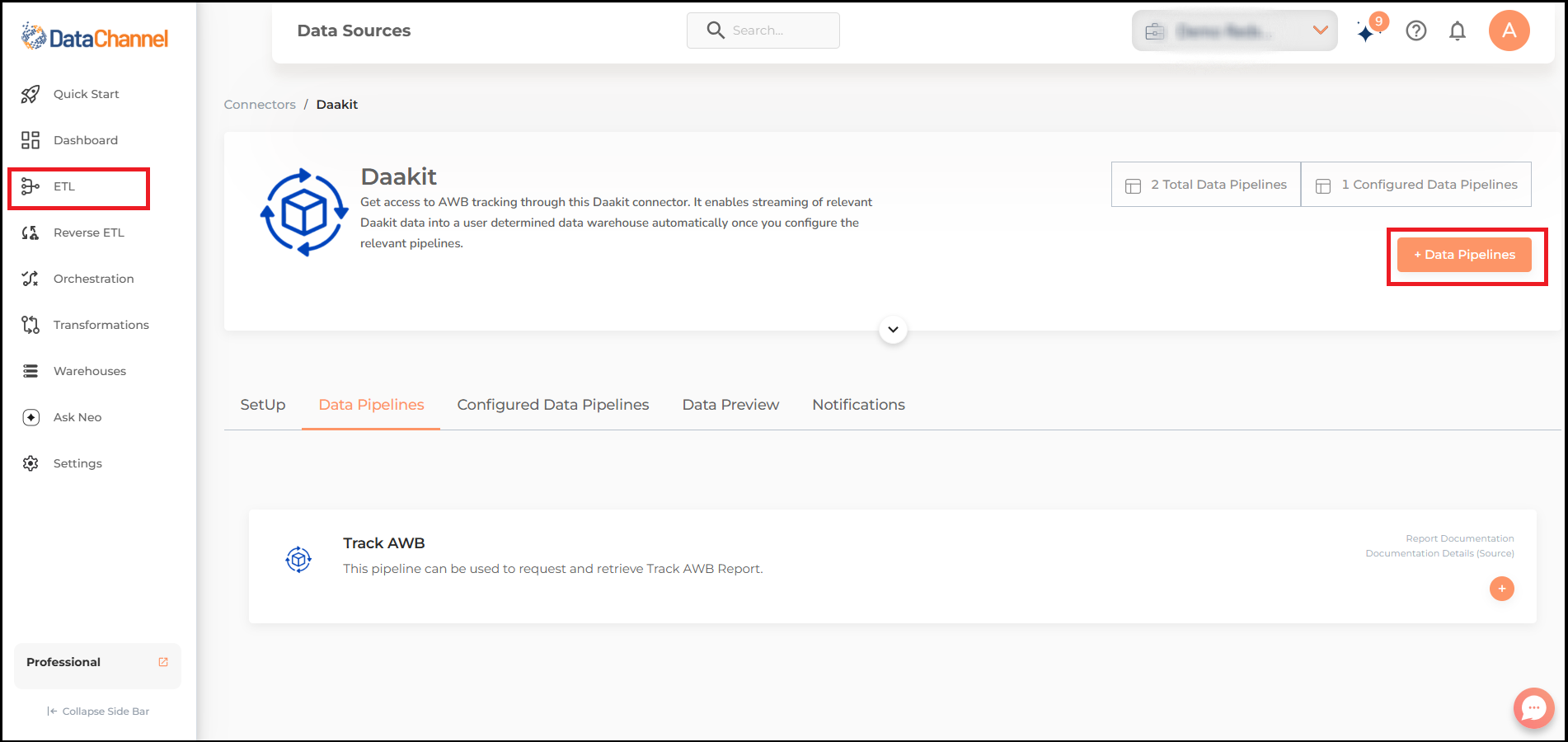
Click on + Data Pipeline to start adding data pipelines to your account.
-
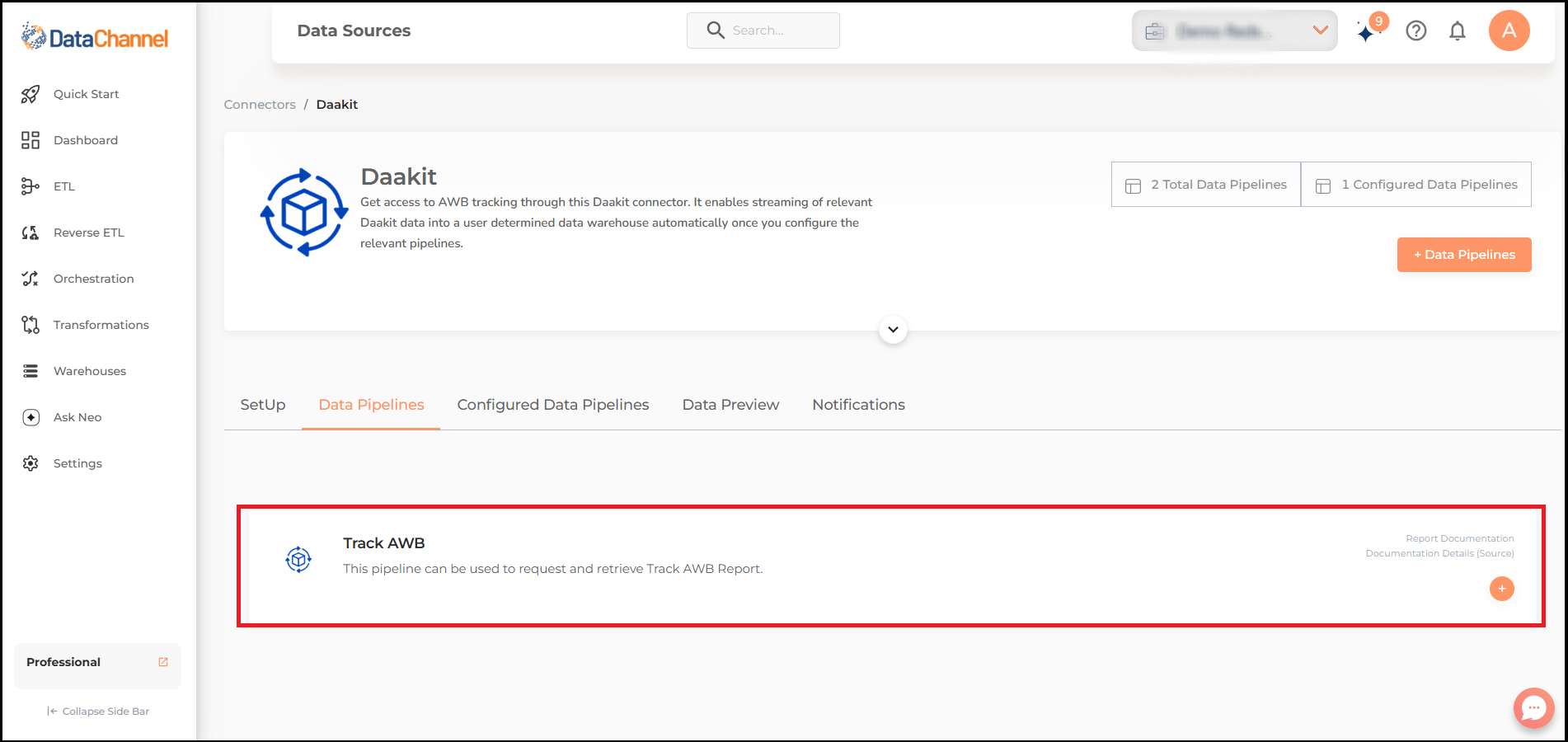
Details of individual objects and reports are available here.
-
Select the required pipeline from the list and click Next
-
Configure the pipelines by setting the report parameters in the given fields.
Still have Questions?
We’ll be happy to help you with any questions you might have! Send us an email at info@datachannel.co.
Subscribe to our Newsletter for latest updates at DataChannel.